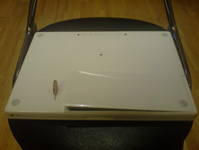
Step 2 – Turn your MacBook upside down so it’s on its front. Now get a coin of any size and on the back of your MacBook turn the battery latch with your coin and the battery will pop open.
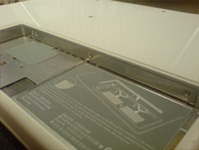
Now remove the battery and you’l be presented with the battery compartment of the MacBook. Now you need to get a screw driver to unscrew 3 screws that holds the L bracket together to get to the RAM for the MacBook and also the hard drive.